Deployment: Cloud · LAN cluster · Offline · On-premVietnamese · English · Chinese · MalayPersonal data processed under our privacy policy and local law
Inside the product
Not a chat box. This is a workplace.
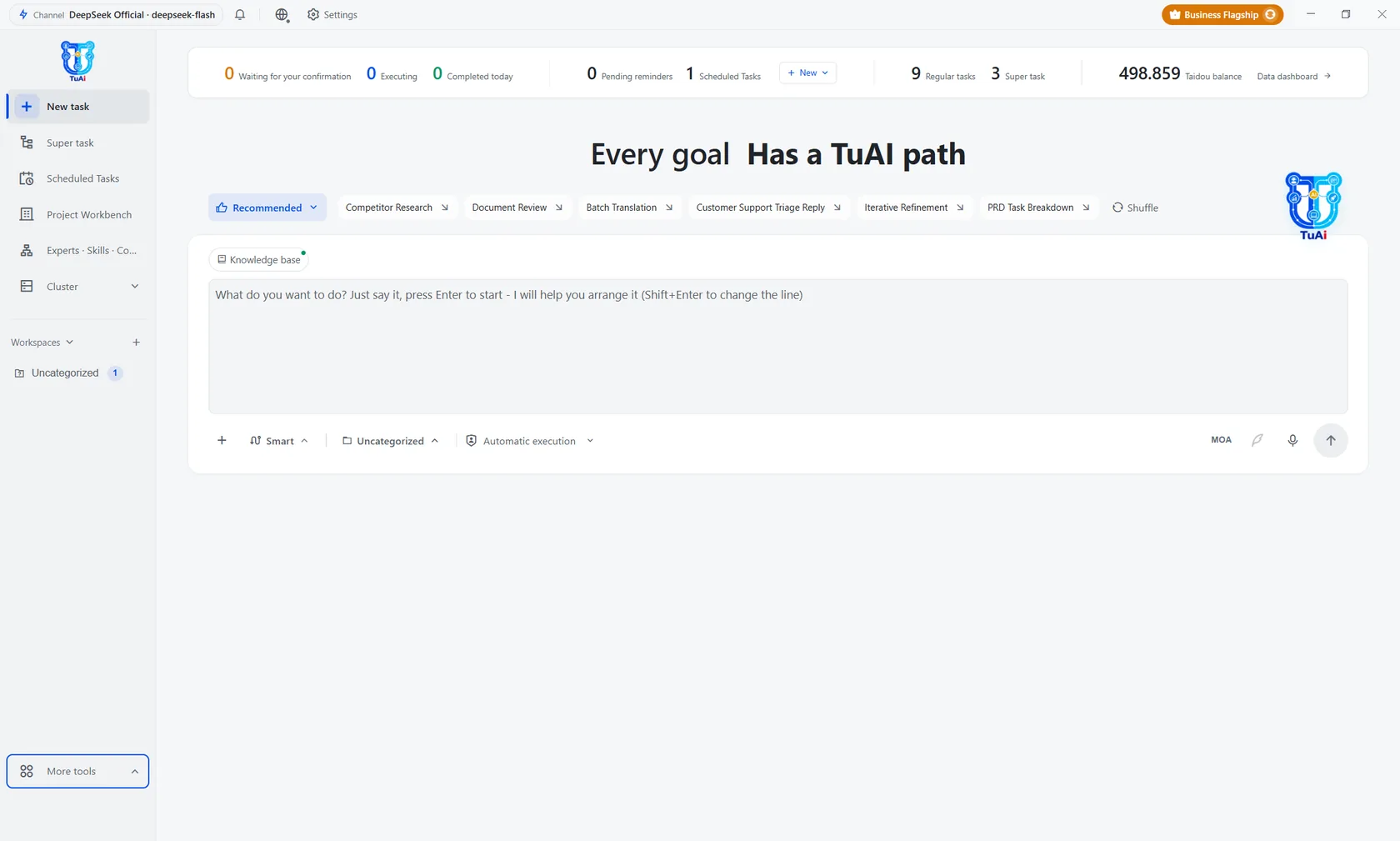
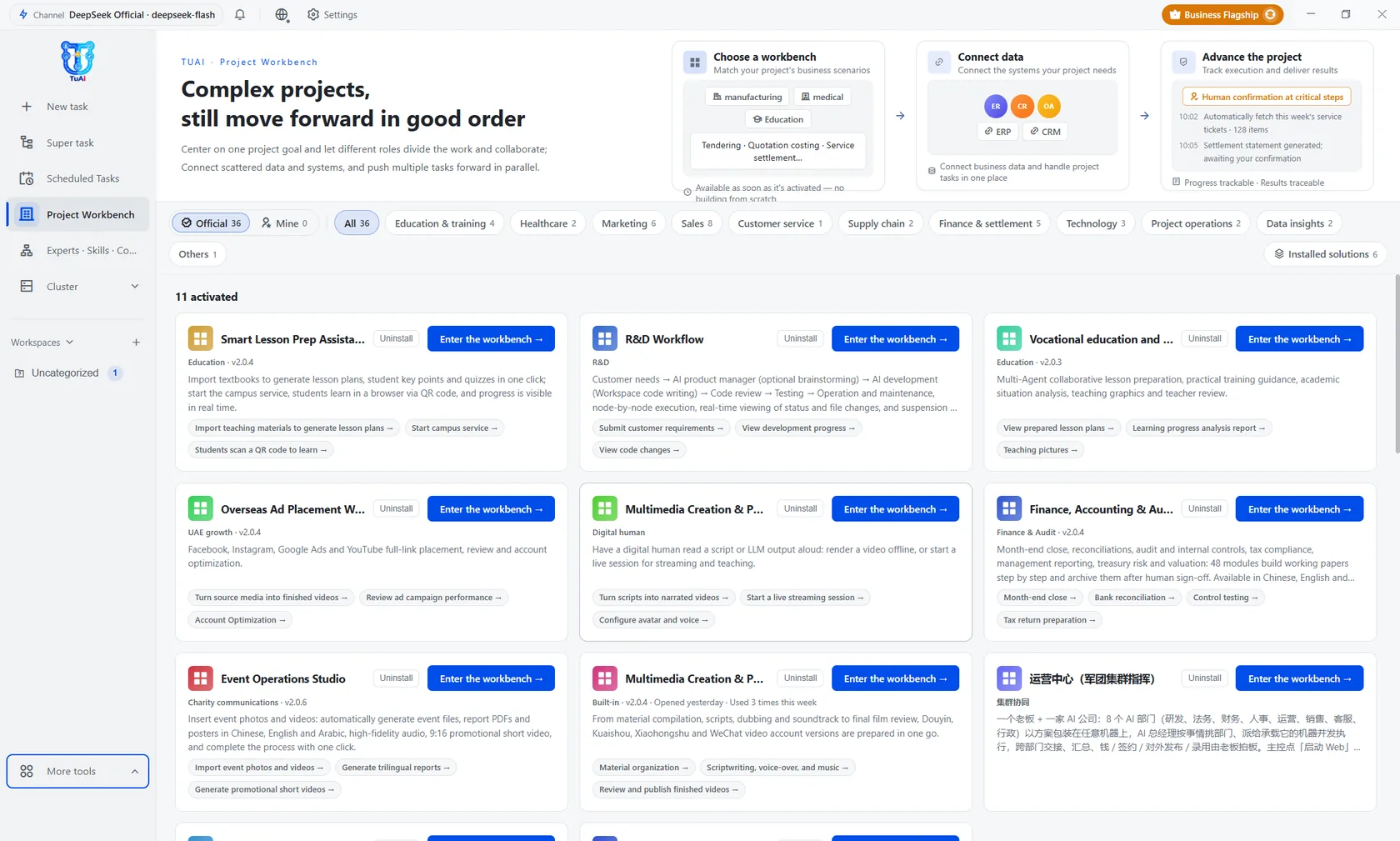
Open TuAI and you see exactly what a manager needs to see: who is working on what, what is done, what is waiting for your approval.
tuai://boardLive
Hover over the image to zoom in
01
Project work board
Every goal is a project with a status column, an owner and a deadline — not a conversation that drifts away.
02
AI employees with names and shifts
Pick a position by department and assign work as you would to a person: AI Sales, AI Accounting, AI Customer Support…
03
See every execution step
Every action has a log: which tool ran, what data it read, who approved it. Where it went wrong is visible right there.
04
Runs on your machine, no cloud required
The same interface for the cloud, LAN cluster and offline builds — data never leaves the enterprise.
Experts & connectors
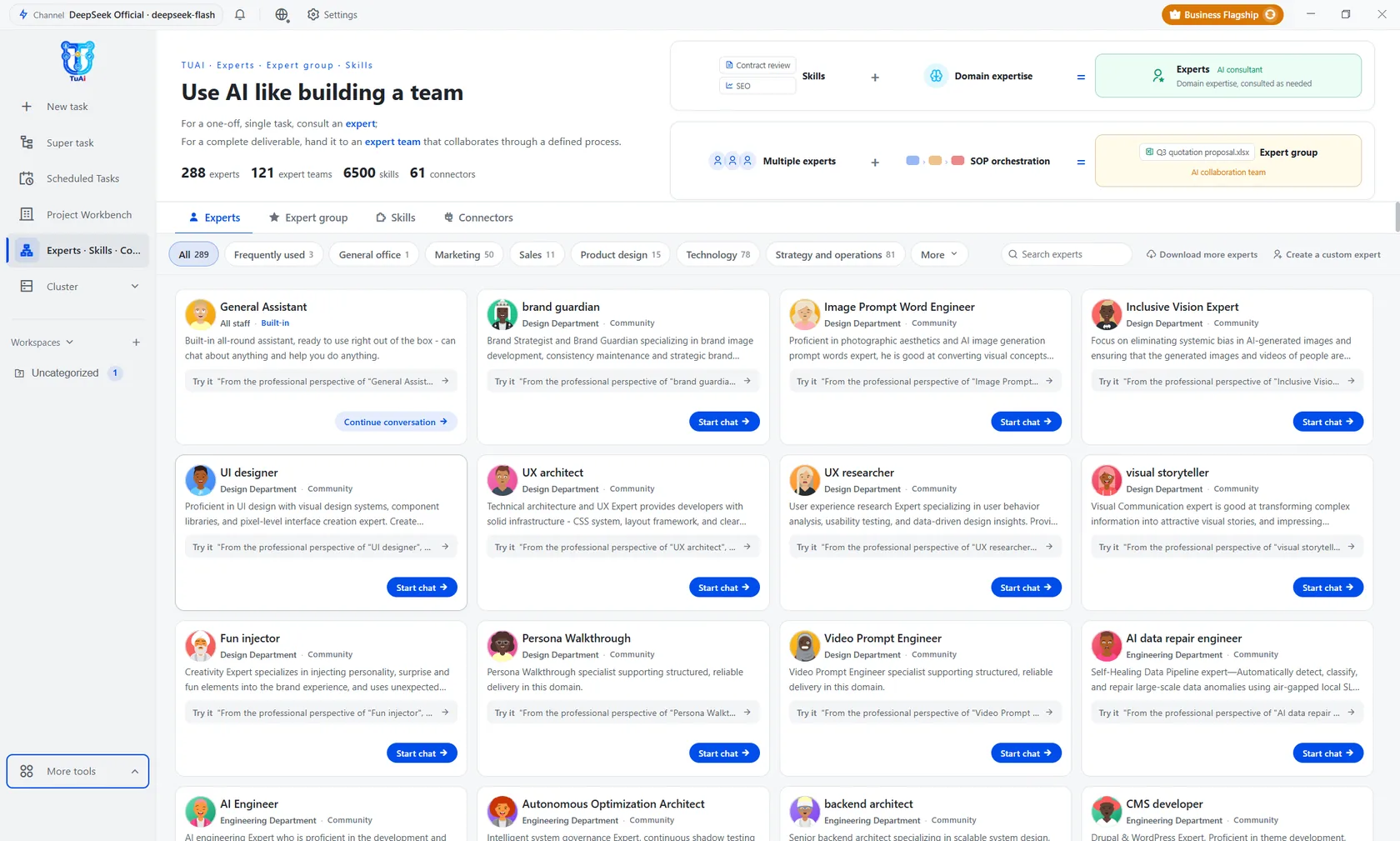
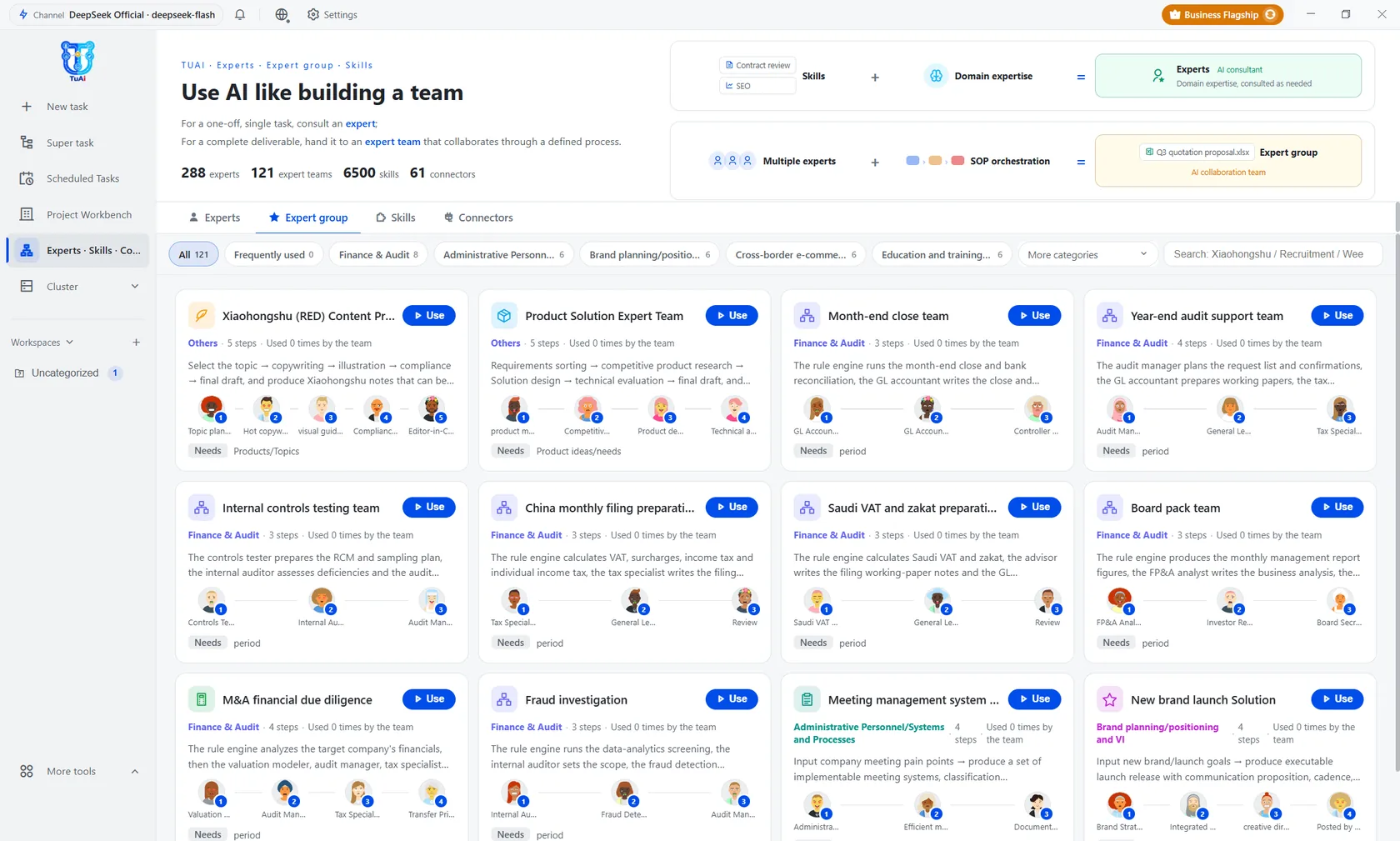
121 experts ready. Assemble your own team.
You do not have to pick one generic chatbot for the whole company. Choose experts by department, see who works right away and who needs permissions — then assign work in one click.
tuai://expertsLive
01
Experts already trained, no need to write prompts yourself
Each expert has its own scope and permission limits. Click “Start chat” and work begins — no rebuilding from scratch.
tuai://experts/groupsLive
02
Grouped by department, not by technical category
Sales, accounting, customer support, HR — managers find the right person for the right job without reading technical docs.
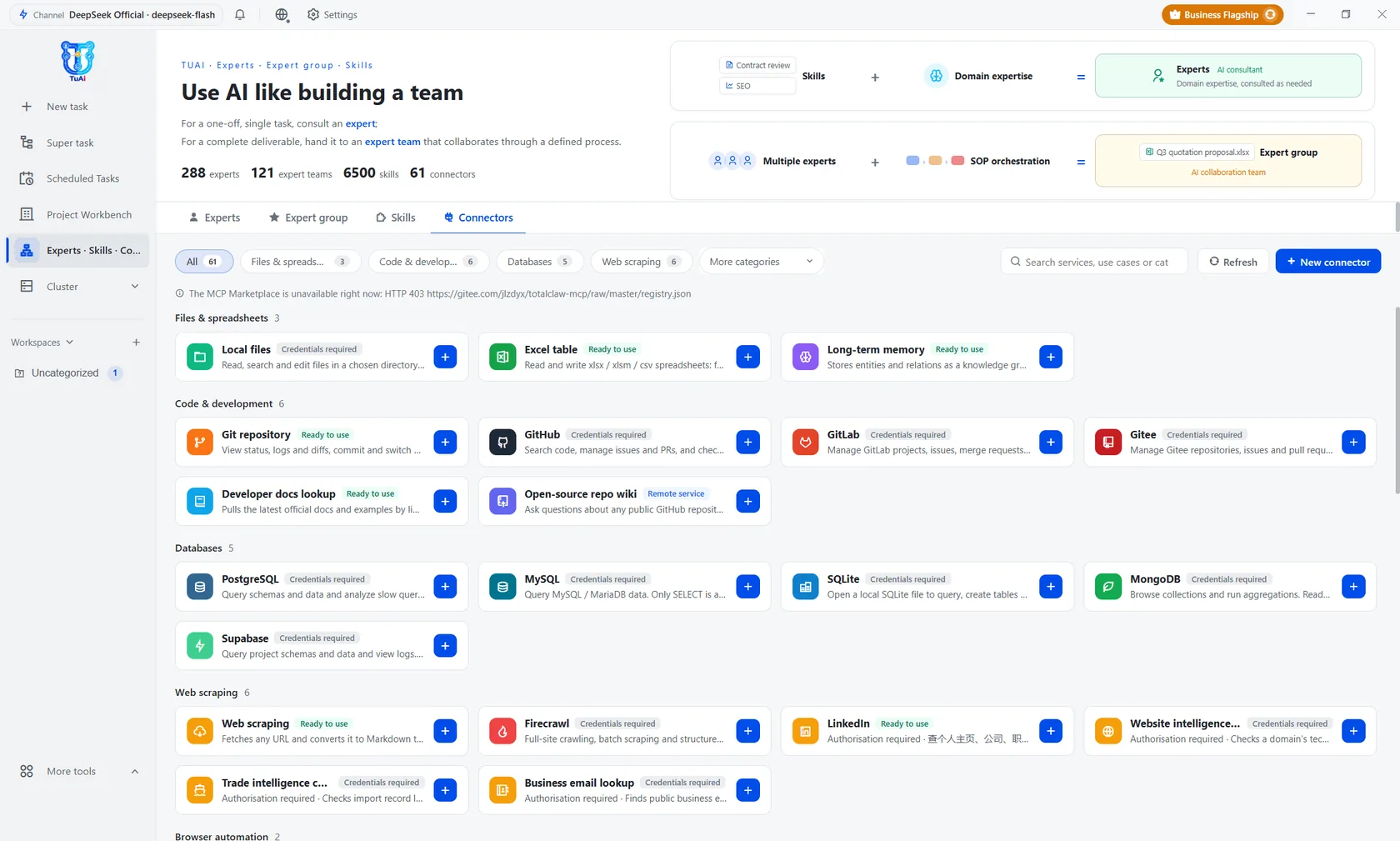
tuai://connectorsLive
03
Connections carry a status label, no guessing
“Ready to use” and “Credentials required” are shown before you click — you do not find out about missing permissions after installing.
The fourth time is native AI — the first time software works on its own.
2000 – 2010
Paperless office
A human operates the software.
2010 – 2018
Mobile office
Software follows the people.
2018 – 2022
Online collaboration
People collaborating over the network.
2027 onward
A native AI office
Work is assigned to the Agent.
Digital tools → Mobile office → Online organization → Assign work to an Agent
AI has entered its third stage — the digital employee.
What changes at each step is not the model, but what AI is allowed to become in the work.
012022 – 2024
Conversation stage
AI as an advisor: ask — answer.
One message.
022025 – 2026
The assistant era
AI as an assistant: assign work — get it processed.
One task.
032026 onward
The digital employee era
AI as an employee: you set the goal, AI hands over the result.
One business outcome.
It can answer · It can act · It can be accountable
Definition
It is not what you think it is.
Not a chat tool.
It is an AI office platform that can carry a whole job position.
Not a personal assistant.
It is an AI workforce that fights for the business.
Two brains: the self-developed TuAI brain plus a swappable global large model. Your business context turns into dynamic processes. Run alone or coordinate multiple positions. Run clustered or fully offline.
Two-brain architectureDynamic processesSolo or in a teamClustered or offlineProprietary IP
How it runs
Say one sentence — AI builds the process itself.
Fixed workflows run from the library, ad-hoc tasks are assembled on the spot; if one machine is not enough, move to a cluster.
01
Fixed workflow
Eight node types on the canvas: add, delete, edit, undo; confirming saves it as a named process.
02
On-demand task
State the goal and AI builds the nodes and assigns employees on the spot; a split node automatically becomes parallel tasks whose results are merged.
03
Cluster workflow
State the goal, AI splits the work across workstations, executes in a distributed way, one node per machine, with a real-time overview.
04
Process library
Standard enterprise processes, proven, classified and synced across machines.
Resume from the stopping pointA failed node resumes from where it stopped — nodes that succeeded are not re-run.
Human in the loopCaptchas, two-step verification and platform risk checks are handed back to a person; once answered, the machine resumes from where it stopped.
AI taskToolBranchManual approvalParallelLoopMulti-agentDelegation
Running in production
Six loops have really run, each with a human sign-off and a measurable output.
Here, handover is not a document — it is a number in the business system, backed by a signature.
Education
AI teaching at a language school
Upload the material, generate the lesson plan, key points and test in one pass; the teacher approves and publishes.
A speaking-practice teacher AI position, 7×24 in 16 languages, with full right-to-left layout.
A learning board per learner: attendance, accuracy, weak spots.
Result
Lesson prep cut from weeks to hours; every learner gets speaking practice; knowledge gaps surface the same day.
Content
AI that runs content & communications
One line of direction and AI generates the topic bank, scripts and shot list.
Digital employees that voice and appear on camera; material, subtitles and cuts prepared once for multiple platforms.
Compliance review and an accountable signer, then automatic distribution and data collection.
Result
One topic, from idea to multi-platform release, runs in a single process — people only approve and decide.
Advertising
AI running advertising abroad
The main international channels connected; accounts, material and planning in one place.
Auto-generated multilingual material and localization, with a self-developed RTL layout engine.
Campaign data is collected hourly; budget anomalies raise an alert and wait for a human to confirm.
Result
One team controlling costs across countries and channels; localization no longer waits on agencies; anomalies surface the same day.
Sales
AI quoting & opportunity tracking
Requests from every channel are collected and read: customer, product, quantity.
Combine the product with supply and processing costs to produce a quote with a visible formula.
Discounts above the threshold and receivables past their limit automatically escalate to the accountable signer, with a full audit trail.
Result
Quotes delivered the same day, consistent pricing logic, accountability with the right person, every version traceable to its basis.
R&D
AI for R&D and the handover line
Break the customer request into a product proposal, development tasks and acceptance criteria.
Product, development, review, testing and operations run node by node, with human sign-off at key points.
Export API docs, test reports and release notes; once a failing node is fixed, it runs on.
Result
From requirement to release on one path; progress and accountability visible per node; documentation ships with the handover.
Supply chain
AI coordinating Planning – Production – Inventory (ERP)
ERP, WMS, spreadsheets and email connected, data normalized to one standard.
Planning agent, inventory control, inbound and outbound execution, and audit run together.
Legacy ERP has no API, so AI drives it with mouse and keyboard — no rework required.
Result
Planning, execution and reconciliation in one line; anomalies surface the same day; legacy systems never need to be rebuilt.
Start
Put the AI team into real work within two weeks.
Pick one bottlenecked process and run a single loop with a human sign-off and a measurable output. No card, no complicated setup.